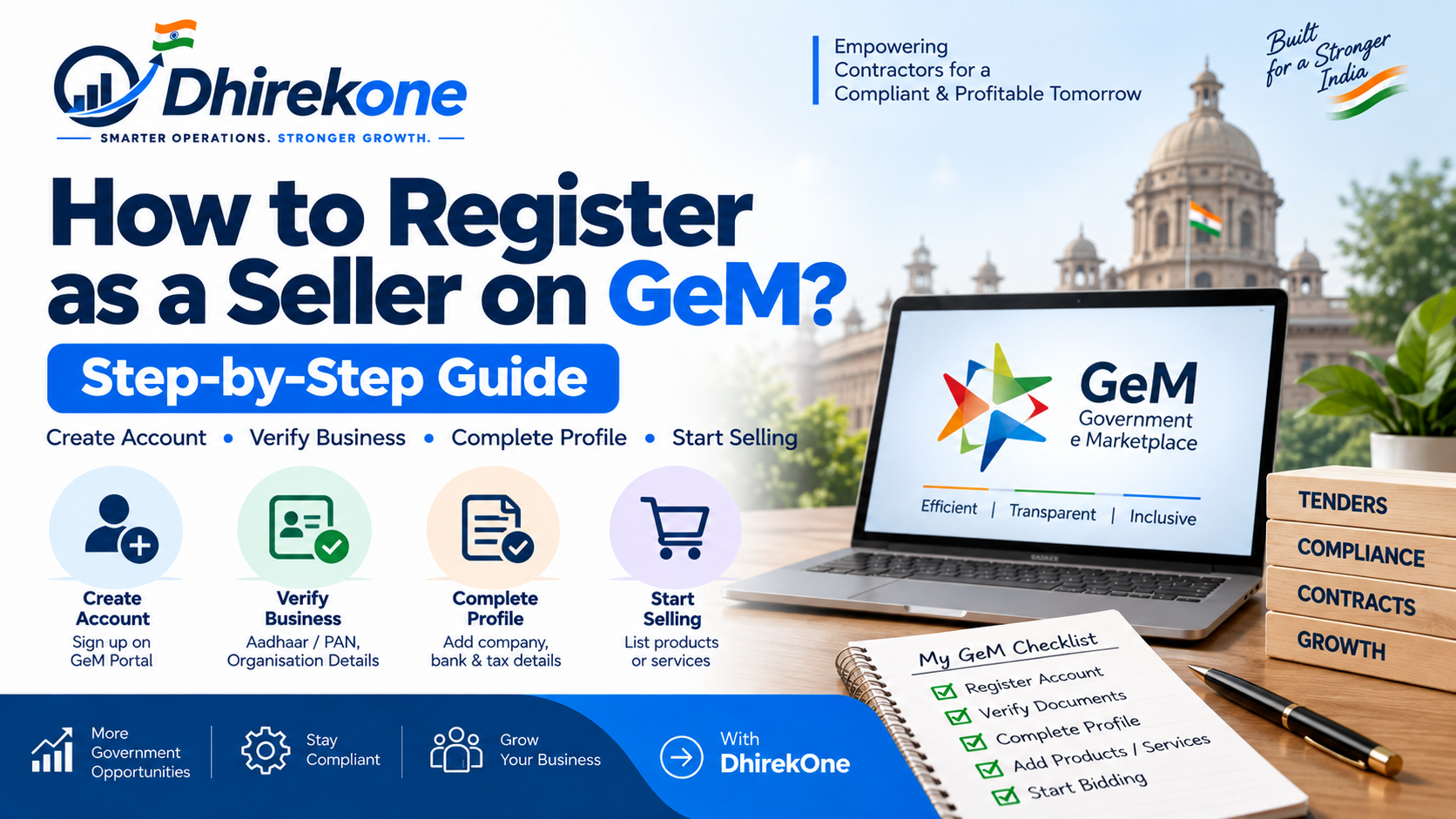
Government e-Marketplace, commonly known as GeM, is India's Government procurement marketplace where eligible sellers and service providers can offer products and services to authorised Government buyers.
Before a business can participate in GeM bids or receive orders through the marketplace, it must first create and complete a seller account.
The registration process generally involves:
- Identifying an authorised person
- Verifying Aadhaar or personal PAN details
- Selecting the organisation type
- Verifying business PAN and organisation information
- Creating the GeM user account
- Completing the seller profile
- Adding products or services
- Completing additional verification required for bidding
This guide explains each step in simple terms.
Who Can Register as a Seller on GeM?
GeM seller registration is available to eligible organisations that want to sell products or provide services to Government buyers.
Organisation types listed in GeM's published registration prerequisites include:
- Proprietorship
- Partnership Firm
- LLP
- Private Limited Company
- Public Limited Company
- Trust
- Society
- Association of Persons
- Government Entity
The registration should be completed by an authorised individual connected with the organisation.
Who Should Complete the GeM Seller Registration?
The person completing the primary GeM registration should be authorised to represent the organisation.
Depending on the organisation type, this may include:
- Proprietor
- Director
- Partner
- Key Person
- Authorised representative
The identity information entered during registration should match Government records.
Avoid creating the primary account using the personal details of an employee or consultant who is not properly authorised to represent the business.
What Information Is Required for GeM Seller Registration?
Before starting registration, keep the following information ready:
- Aadhaar Number / Virtual ID or Personal PAN of the authorised person
- Aadhaar-linked mobile number, where Aadhaar verification is used
- Correct PAN details, where PAN verification is used
- Active email ID
- Business / organisation type
- Business PAN
- Date of incorporation or registration
- CIN, where applicable to a company
- Income Tax Return details, where applicable
- Business contact information
- Organisation address
- Bank account details
- Information about products or services you intend to offer
Additional information may be required depending on the constitution of the organisation and the activities you want to perform on GeM.
Can I Register on GeM Using Aadhaar?
Yes.
GeM's published registration prerequisites allow the authorised person to use Aadhaar Number / Virtual ID for identity verification.
Where Aadhaar is used, the mobile number linked with Aadhaar should be available for verification.
Enter the information exactly as recorded in Aadhaar to avoid validation problems.
---

# 14. HEADING

# **Can I Register on GeM Using PAN Instead of Aadhaar?**

```markdown
Yes.

GeM's published prerequisites also allow personal PAN information to be used for registration.

Where PAN verification is used, make sure the following details are entered correctly:

- PAN number
- Name as per PAN
- Date of birth

The information should match Income Tax records.
``` :chatgpt-content-reference{index="6"}


---

# 15. MAIN HEADING

# **How to Register as a Seller on GeM: Step-by-Step**

---

# 16. STEP 1

## **Step 1: Visit the Official GeM Portal**

```markdown
Open the official Government e-Marketplace website.

Look for the seller registration or seller sign-up option.

Before entering Aadhaar, PAN or banking information, make sure you are using the official GeM platform.

Avoid entering sensitive business information on unofficial websites or links sent by unknown parties.
Step 2: Select Seller Registration
Choose the seller registration option.
Read the registration instructions and applicable terms before proceeding.
GeM's seller workflow allows organisations to register for:
- Product selling
- Service providing
- Both products and services
Choose the option that reflects the activities your organisation intends to perform.
Step 3: Verify the Authorised Person
Enter the authorised person's identity information using the verification option available on GeM.
This may involve:
- Aadhaar / Virtual ID
or
- Personal PAN
Complete the required OTP or verification process.
Make sure:
- Name matches official records
- PAN number is correct
- Date of birth is correct
- Aadhaar-linked mobile number is available where required
---

# 19. STEP 4

## **Step 4: Select Your Organisation Type**

```markdown
Choose the correct constitution of your organisation.

Examples include:

- Proprietorship
- Firm / Partnership / LLP
- Company
- Trust / Society / Association
- Government Entity

Selecting the correct organisation type is important because the subsequent verification requirements may differ.
``` :chatgpt-content-reference{index="9"}


---

# 20. STEP 5

## **Step 5: Enter Business PAN Details**

```markdown
Enter the PAN of the business or organisation.

The PAN should correspond correctly with the selected organisation type.

For example:

- Proprietorship generally uses the proprietor's PAN
- Partnership / LLP uses the firm's PAN
- Company uses the company's PAN
- Trust / Society uses the entity's PAN

Make sure the organisation name and PAN information match Income Tax records.
Step 6: Enter Incorporation or Registration Details
Provide the organisation's incorporation or registration details.
Depending on your business type, you may need to enter:
- Date of incorporation
- Date of registration
- CIN for a company
- Other entity-specific information
Company details may be verified against MCA records where applicable.
Step 7: Create Your GeM User ID and Password
After successful verification, create the primary GeM user account.
Use:
- A reliable email address
- A secure password
- A mobile number accessible to the authorised person
Keep the login credentials under the organisation's control.
Do not allow an external consultant to become the sole holder of your primary GeM credentials.
Step 8: Complete Your Organisation Profile
After registration, log in and complete the organisation profile.
Check and update information such as:
- Office address
- Business contact details
- Bank information
- Tax information
- Organisation details
- Experience information
- Other profile fields shown by GeM
Do not stop after merely creating the login.
A complete seller profile is important for participating in procurement activities.
Step 9: Add Bank Account Details
Enter the organisation's valid bank account information.
Verify:
- Account holder name
- Account number
- IFSC
- Bank
- Branch
The information should correspond with the registered organisation.
Incorrect bank details can cause verification or payment problems later.
Step 10: Complete ITR Details Where Required
Income Tax Return information can become important when a seller wants to participate in GeM Bid / Reverse Auction opportunities.
GeM's published seller prerequisites state that verified ITR details are required for Bid / RA participation for applicable entities.
Exceptions mentioned in the published prerequisites include:
- Entities incorporated less than 24 months ago
- Entities exempted from filing ITR
ITR details are not stated as mandatory in the same document where the seller does not intend to participate in Bid / RA.
Always verify the current requirement displayed in your GeM account.
---

# 26. IMPORTANT BOX

# **Is ITR Mandatory for GeM Seller Registration?**

```markdown
Not in every situation.

GeM's published seller-registration prerequisites distinguish between basic registration and participation in Bid / Reverse Auction.

Verified ITR details are required for Bid / RA participation for applicable entities, subject to specified exemptions.

Therefore:

Seller Account Creation

and

Bid Participation Eligibility

should not be treated as exactly the same requirement.
``` :chatgpt-content-reference{index="14"}


---

# 27. STEP 11

## **Step 11: Add Products or Services**

```markdown
Once the seller profile is ready, add the products or services your organisation intends to offer.

Depending on your registration:

- Add product catalogues
- Add eligible services
- Complete category-specific information
- Provide specifications where required
- Complete applicable verification

Choose categories carefully.

A seller should list only products or services it is genuinely capable of supplying or performing.
Step 12: Review Your Seller Account
Before participating in a tender, check that:
✅ Authorised-person verification is complete
✅ Business PAN is correct
✅ Organisation type is correct
✅ Business details are complete
✅ Bank details are updated
✅ Tax details are correct
✅ ITR requirements are completed where applicable
✅ Products / services are added
✅ Relevant experience information is updated
✅ Seller account details are under company control
Is GeM Seller Registration Free?
Basic seller registration on GeM has historically been provided without a seller-registration fee.
However, sellers should distinguish registration from other possible platform, transaction, assessment or procurement-related charges that may apply depending on the activity.
Never pay an unknown party merely because they claim that a mandatory Government registration fee is required without checking the official GeM portal.
Can a Proprietorship Register on GeM?
Yes.
A proprietorship is an organisation type recognised in GeM's seller-registration prerequisites.
The proprietor should provide the identity, PAN and business details required by the portal and ensure that the information matches official records.
---

# 31. HEADING

# **Can an LLP or Partnership Firm Register on GeM?**

```markdown
Yes.

Partnership firms and LLPs fall under the Firm category in GeM's published seller-registration prerequisites.

The organisation should provide the applicable PAN, registration details and authorised-person information.
``` :chatgpt-content-reference{index="17"}


---

# 32. HEADING

# **Can a Private Limited Company Register on GeM?**

```markdown
Yes.

Private and Public Limited Companies can register as sellers on GeM.

Company registration may require:

- Company PAN
- CIN
- Date of incorporation
- Authorised person's identity
- Other company information

GeM's seller manual indicates that company information can be verified against MCA21.
``` :chatgpt-content-reference{index="18"}


---

# 33. HEADING

# **Can Service Providers Register on GeM?**

```markdown
Yes.

GeM is not limited to product sellers.

A business can register as:

- Product Seller
- Service Provider
- Both

This allows eligible businesses to offer services to Government buyers through GeM.
Which Services Can Contractors Offer Through GeM?
Depending on available GeM service categories and eligibility, Government contractors may find opportunities relating to services such as:
- Manpower outsourcing
- Security services
- Housekeeping
- Facility management
- Data Entry Operator services
- Multi-Tasking Staff
- Driver services
- Vehicle hiring
- Cab services
- Office support
- Other outsourced services
The exact category availability and requirements should be checked on GeM before listing or bidding.
What Should You Do After GeM Seller Registration?
Registration is only the first step.
After creating your GeM seller account:
- Complete the organisation profile
- Add relevant products or services
- Complete applicable tax and ITR verification
- Understand Catalogue Management
- Learn Bid and Reverse Auction participation
- Search relevant Government opportunities
- Check eligibility before bidding
- Understand EMD requirements
- Understand ePBG / Performance Security
- Calculate a sustainable bid price
- Prepare for contract execution
GeM currently provides separate seller-learning modules for Registration & Account Management, Catalogue Management, Bid and RA Participation and Order Fulfillment.
---

# 36. COMMON MISTAKES

# **Common Mistakes During GeM Seller Registration**

```markdown
Common registration mistakes include:

1. Wrong organisation type
2. PAN name mismatch
3. Incorrect date of birth
4. Using an unauthorised person's identity
5. Incorrect business PAN
6. Incorrect company CIN
7. Aadhaar-linked mobile not available
8. Using an email account the business does not control
9. Incomplete business profile
10. Incorrect bank details
11. Not completing ITR verification before bidding
12. Selecting incorrect product or service categories
13. Sharing primary account credentials unnecessarily
14. Assuming registration alone makes the seller eligible for every tender
Keep Your Primary GeM Account Under Company Control
The primary GeM account should remain under the control of the registered business.
Good practice includes:
- Use an organisation-controlled email
- Keep recovery details updated
- Do not disclose passwords unnecessarily
- Avoid depending entirely on one external consultant
- Review authorised users periodically
- Remove access when staff responsibilities change
Your GeM account can contain sensitive business, tender, contract and banking information.
From GeM Registration to Contract Execution with DhirekOne
GeM registration helps a business enter the Government procurement ecosystem.
But after that, contractors may need to manage:
Seller Registration → Tender Search → Bid Participation → EMD → ePBG → Contract Award → Site → Employee Deployment → Attendance → Payroll → Minimum Wages → EPF & ESIC → Compliance → Billing → Receivables → Contract Profitability
DhirekOne is designed for Government contractors and service providers who want to manage these connected operations in one platform.
For manpower outsourcing, security, housekeeping, facility management and transport contracts, DhirekOne helps move from tender opportunity to contract execution in a structured workflow.
Frequently Asked Questions About GeM Seller Registration
Q1. How do I register as a seller on GeM? Visit the official GeM portal, select seller registration, verify the authorised person's Aadhaar or PAN details, select the organisation type, verify business information, create the user account and complete the seller profile.
Q2. What documents are required for GeM seller registration? Common requirements include Aadhaar or personal PAN of the authorised person, business PAN, email ID, organisation type, incorporation details and CIN where applicable. ITR information may also be required for Bid / RA participation.
---

### Q3. Is Aadhaar mandatory for GeM seller registration?

```markdown
GeM's published prerequisites allow Aadhaar / Virtual ID or personal PAN information for authorised-person verification.
``` :chatgpt-content-reference{index="23"}


---

### Q4. Can I register on GeM using PAN?

```markdown
Yes. GeM's published prerequisites include personal PAN as an identity-verification option.
``` :chatgpt-content-reference{index="24"}


---

### Q5. Can a proprietorship register on GeM?

```markdown
Yes. Proprietorship is one of the organisation types supported for GeM seller registration.
``` :chatgpt-content-reference{index="25"}


---

### Q6. Can an LLP register on GeM?

```markdown
Yes. LLP and partnership entities are covered under the Firm category in GeM's published registration prerequisites.
``` :chatgpt-content-reference{index="26"}


---

### Q7. Can a company register as a GeM seller?

```markdown
Yes. Private and Public Limited Companies can register, with company PAN, CIN and incorporation information required as applicable.
``` :chatgpt-content-reference{index="27"}


---

### Q8. Can a service provider register on GeM?

```markdown
Yes. GeM allows registration as a Product Seller, Service Provider or both.
``` :chatgpt-content-reference{index="28"}


---

### Q9. Is ITR compulsory for GeM registration?

```markdown
Not for every basic registration case. GeM's published prerequisites state that verified ITR details are required for Bid / Reverse Auction participation for applicable entities, subject to specified exemptions.
``` :chatgpt-content-reference{index="29"}


---

### Q10. What do I do after GeM registration?

```markdown
Complete the seller profile, add products or services, complete applicable verification and learn how to participate in GeM bids and Reverse Auctions.

Q11. Does GeM registration make me eligible for every tender?
No. Each tender can have separate eligibility, turnover, experience, technical, EMD, document and compliance requirements.

Q12. Where can I learn the official GeM seller process?
GeM provides official Interactive LMS courses for sellers covering Registration & Account Management, Catalogue Management, Bid and RA Participation, Order Fulfillment and other seller workflows.
``` :chatgpt-content-reference{index="31"}


---

# 40. CONCLUSION

```markdown
## Conclusion

Registering as a seller on GeM is the first step for businesses that want to access Government procurement opportunities through the Government e-Marketplace.

The registration process broadly involves verifying the authorised person, selecting the correct organisation type, validating business information, creating the seller account and completing the organisation profile.

After registration, sellers should add the correct products or services, complete applicable ITR and other verification requirements and understand the bidding process before participating in Government tenders.

Registration alone does not guarantee tender eligibility. Every bid should be reviewed separately for experience, turnover, technical specifications, EMD, Performance Security and other conditions.

DhirekOne helps Government contractors continue beyond registration into tender management, contract execution, employee deployment, payroll, compliance, billing and receivables.