
INTRODUCTION
A salary revision is not simply a change to an employee's monthly salary figure.
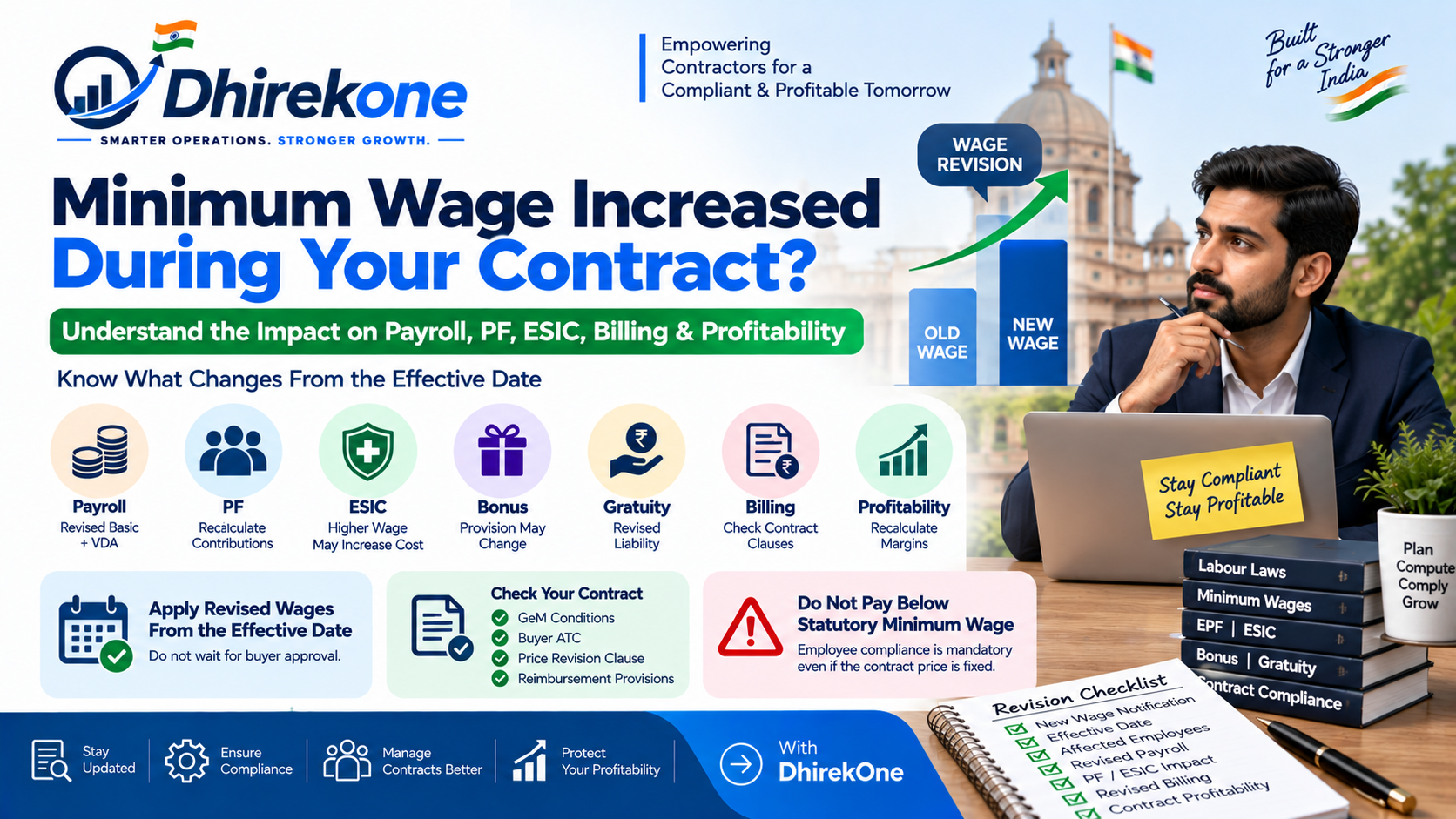
When a statutory minimum wage or Variable Dearness Allowance changes, the contractor should determine:
- Which employees are affected
- Which wage notification applies
- Correct effective date
- Revised Basic / VDA
- Revised salary structure
- PF impact
- ESIC impact
- Bonus impact
- Gratuity impact
- Wage arrears
- Payroll correction
- Billing impact
Most importantly, historical salary and payroll records should not be silently overwritten.
The compliant approach is:
Old Salary Structure → Preserve History
New Wage Notification → Create Effective-Dated Revision
Revised Structure → Apply to Applicable Payroll Periods
This guide explains the complete salary-revision process.
When Should an Employee Salary Be Revised?
Salary should be reviewed whenever an event changes the legally or contractually applicable remuneration.
Common triggers include:
- Minimum wage revision
- VDA revision
- Change in skill category
- Change in wage zone
- Promotion
- Change in designation
- Contract-specific wage revision
- Government notification
- Salary increment
- Correction of an earlier classification
Each trigger should have a clearly documented effective date.
What Is the Most Important Rule in Salary Revision?
Never replace historical salary evidence.
Instead:
Revision 1 Applicable from Date A to Date B
Revision 2 Applicable from Date C onward
This allows payroll to determine which salary structure applied to each month.
Historical payroll should remain auditable even after several salary revisions.
Do Not Overwrite the Old Salary Structure
Wrong approach:
Employee salary = ₹18,000
New wage = ₹20,000
Edit ₹18,000 and replace it with ₹20,000 everywhere.
This destroys historical evidence.
Correct approach:
Revision 1 ₹18,000 Effective: 01 January to 31 March
Revision 2 ₹20,000 Effective: 01 April onward
This preserves payroll history.
Step 1: Identify the Salary Revision Trigger
First determine why the salary needs to change.
Examples:
- New minimum wage notification
- Revised VDA
- Employee promotion
- New skill classification
- Change of location / zone
- Contract amendment
The reason should be recorded with the salary revision.
Step 2: Verify the Applicable Wage Notification
For statutory revisions, check:
- Appropriate Government
- Central or State notification
- Employment
- Skill category
- Work location
- Zone / area
- Basic wage
- VDA
- Effective date
Do not revise salary merely because another contractor or department shared a new wage figure.
Use the official notification.
Step 3: Confirm the Effective Date
Every revision should have an effective-from date.
Example:
Notification Date: 30 March 2026
Effective Date: 1 April 2026
Salary Revision:
Old structure: valid through 31 March 2026
New structure: effective from 1 April 2026
Do not use the date on which HR happened to enter the revision into software.
Step 4: Identify Affected Employees
Do not revise every employee blindly.
Filter employees by:
- Contract
- Site
- State
- Wage jurisdiction
- Zone
- Designation
- Skill category
- Current salary
- Effective payroll month
Only employees covered by the revised wage should receive that statutory revision.
Step 5: Compare Existing Salary with Revised Minimum Wage
For each employee:
Existing Statutory Wage vs. New Applicable Minimum Wage
If:
Existing Wage < New Minimum Wage
salary revision is required.
If:
Existing Wage ≥ New Minimum Wage
a further salary increase may not necessarily be required solely because of that minimum-wage revision, subject to the applicable wage structure and contract conditions.
Step 6: Update Basic Wage and VDA Correctly
Where the notification separately specifies:
Basic Wage
Variable Dearness Allowance
maintain the components separately where required for payroll evidence.
Example:
Basic = ₹523 per day
VDA = ₹304 per day
Total = ₹827 per day
Do not store only ₹827 if the underlying components are relevant to your payroll and compliance evidence.
Step 7: Recalculate the Monthly Salary Structure
If wages are notified on a daily basis, convert them according to the applicable wage and payroll framework.
Example:
Daily Wage × Applicable Standard Duty Days = Monthly Wage Projection
The exact divisor or multiplier should follow the applicable legal, contractual and payroll basis.
Do not mechanically apply a 26-day conversion unless that is the correct basis for the relevant employee and contract.
Step 8: Recalculate Employee PF
A salary revision can affect EPF.
Check:
- Revised PF wage
- Statutory ceiling
- Employee contribution
- Employer contribution
- EPS allocation
- EDLI
- Any higher-wage contribution arrangement
Do not simply carry forward the previous PF amount after revising wages.
Step 9: Recalculate ESIC
Where ESIC applies, salary revision can affect:
- Employee contribution
- Employer contribution
- Coverage status
- Contribution-period treatment
ESIC should be recalculated on the applicable wage basis.
Step 10: Review Bonus Provision
A revised wage may affect the employee's bonus-related costing.
Review:
- Eligibility
- Calculation wage
- Applicable statutory basis
- Contract provision
- Annual bonus provision
Do not assume the old monthly bonus provision remains correct after salary revision.
Step 11: Review Gratuity Provision
Salary revision can also affect gratuity exposure.
The Ministry of Labour has clarified that the revised definition of wages under the Labour Codes applies to gratuity calculations from 21 November 2025.
Therefore, where salary components change, review the gratuity wage basis and provision as well.
---

# 24. IMPORTANT BOX

# **Salary Revision Can Affect More Than Take-Home Pay**

```markdown
A salary revision can change:

Basic Wage
↓
Gross Earnings
↓
PF
↓
ESIC
↓
Bonus
↓
Gratuity
↓
Employer Cost
↓
Monthly CTC
↓
Contract Cost
↓
Billing
↓
Profitability

Therefore, never treat a statutory salary revision as a simple edit to one wage field.
Step 12: Determine Whether Arrears Are Required
Arrears may be required where:
Effective Date
is earlier than
Date the revised salary was actually processed.
Example:
New wage effective: 1 April
Revision processed: June payroll
Then review April and May payroll for salary differential.
How to Calculate Salary Arrears
A simple method is:
Revised Applicable Earnings
Previously Paid Earnings
Salary Arrear
Then separately calculate any consequential statutory adjustment.
Example:
Revised Wage = ₹20,000
Previously Paid = ₹18,800
Monthly Difference = ₹1,200
Affected Period = 2 months
Salary Arrear:
₹1,200 × 2 = ₹2,400
Should PF and ESIC Arrears Also Be Recalculated?
Potentially yes.
Where wage arrears change the applicable statutory contribution base, review:
- PF differential
- Employer PF differential
- ESIC differential
- Employer ESIC differential
The exact correction method should follow the statutory contribution rules applicable to the affected period.
Step 13: Preserve Historical Payroll
Do not regenerate old payroll as though the new wage had always existed.
Maintain:
Original Payroll + Salary Revision Evidence + Arrear Adjustment + Statutory Differential + Payment Proof
This gives a clear audit trail.
Why Immutable Salary History Matters
Suppose an employee had:
Revision 1: January to March
Revision 2: April to September
Revision 3: October onward
When reviewing August payroll later, the system should still resolve Revision 2.
It should not use today's salary structure.
This is essential for:
- Payroll audit
- Employee disputes
- Labour inspection
- PF / ESIC verification
- Billing support
- Contract profitability analysis
Step 14: Update Payroll From the Correct Month
Once the salary revision is created:
Payroll Month Before Effective Date → Use Old Revision
Payroll Month From Effective Date → Use New Revision
Example:
Revision effective: 1 October
September Payroll → Old Salary
October Payroll → Revised Salary
Step 15: Review Attendance-Based Payroll
Salary revision changes the rate, not necessarily attendance.
Keep these concepts separate:
Salary Structure
What the employee earns at full entitlement
Attendance
How much of that entitlement applies for the payroll period
Payroll should combine:
Applicable Salary Revision + Attendance + Statutory Rules
Final Payroll
Step 16: Recalculate Employer Cost / CTC
After revising salary, update:
Gross Earnings
Employer PF
Employer ESIC
Bonus Provision
Gratuity Provision
Other Employer Costs
= Revised Monthly CTC
Step 17: Review Contract Profitability
A salary revision can directly reduce contract margin.
Calculate:
Revised Contract Revenue
Revised Wage Cost
Revised PF / ESIC
Bonus / Gratuity
Reliever Cost
Administrative Cost
=
Revised Contract Contribution
Do this immediately after every statutory wage revision.
Step 18: Update Billing Where Applicable
Where the Government contract allows statutory wage reimbursement or escalation, the salary revision should flow into billing.
Prepare:
- Wage notification
- Old vs new wage
- Employee count
- Revised salary cost
- PF / ESIC impact
- Arrear calculation
- Contract clause
- Revised bill
Do not modify the buyer invoice without maintaining supporting evidence.
What If the Revision Was Entered Late?
If the statutory revision is entered late:
- Do not change the legal effective date.
- Create the revision using the correct effective date.
- Identify already-processed payroll periods.
- Calculate differential wages.
- Calculate statutory adjustments.
- Generate arrears.
- Preserve original payroll evidence.
- Record why the correction occurred.
What If the Wrong Skill Category Was Previously Used?
A classification correction may require more than changing the current salary.
Review:
- Original classification
- Correct classification
- Effective date of error
- Applicable minimum wage
- Payroll periods affected
- Wage differential
- PF / ESIC impact
- Bonus / gratuity impact
- Employee arrears
Maintain evidence showing why the classification was corrected.
What If an Employee Moves to Another Site?
A site transfer can change wage context.
Example:
Old Site: Zone II
New Site: Zone I
The employee may therefore require a new wage classification and salary revision from the transfer effective date.
Do not assume the previous site's minimum wage continues permanently.
What If an Employee Is Promoted?
Promotion may create a new salary revision.
Record:
- Previous designation
- New designation
- New skill category
- New wage basis
- Effective date
- Revised salary structure
The previous salary should remain historically available.
What If Salary Is Already Above Minimum Wage?
If the employee's existing lawful wage remains above the revised minimum wage, a statutory increase may not automatically require a further salary increase solely because the minimum wage changed.
However, review:
- Tender wage commitment
- Salary structure
- Wage-component rules
- Contractual increment
- New statutory wage definition
- Employee terms of employment
before concluding that no revision is necessary.
Minimum Wage and “Wages” Are Not the Same Concept
Minimum Wage
= Statutory floor fixed by the appropriate Government.
Wages
= Remuneration determined under the statutory definition and terms of employment.
This distinction matters when recalculating payroll and statutory benefits.
Salary Revision Approval Workflow
Recommended internal workflow:
New Wage Notification
↓
Compliance Review
↓
Identify Affected Employees
↓
Preview Salary Revision
↓
Review PF / ESIC / Bonus / Gratuity
↓
Approve Revision
↓
Create Effective-Dated Salary Structure
↓
Calculate Arrears
↓
Process Payroll
↓
Update Billing
↓
Review Contract Profitability
Salary Revision Audit Evidence
For each salary revision, retain:
- Employee ID
- Contract
- Site
- Designation
- Skill category
- Zone
- Old salary
- New salary
- Effective date
- Revision reason
- Wage notification
- Statutory rule evidence
- User / approver
- Timestamp
Common Salary Revision Compliance Mistakes
- Overwriting the existing salary
- Using the date of entry instead of legal effective date
- Missing VDA
- Updating only Basic Wage
- Not recalculating PF
- Not recalculating ESIC
- Ignoring bonus impact
- Ignoring gratuity impact
- Missing arrears
- Updating payroll history incorrectly
- Applying revision to unaffected employees
- Using wrong zone
- Using wrong skill category
- Forgetting site transfers
- Not retaining notification evidence
- Not reviewing contract billing
- Not recalculating profitability
- Before finalising a salary revision:
- ✅ Revision reason recorded
- ✅ Official notification verified
- ✅ Effective date verified
- ✅ Appropriate Government checked
- ✅ Site checked
- ✅ Zone checked
- ✅ Designation checked
- ✅ Skill category checked
- ✅ Existing salary reviewed
- ✅ Revised Basic calculated
- ✅ Revised VDA calculated
- ✅ PF recalculated
- ✅ ESIC recalculated
- ✅ Bonus reviewed
- ✅ Gratuity reviewed
- ✅ CTC recalculated
- ✅ Arrear period identified
- ✅ Arrears calculated
- ✅ Payroll impact reviewed
- ✅ Historical salary preserved
- ✅ Buyer billing impact reviewed
- ✅ Contract profitability recalculated
- ✅ Audit evidence retained
Automate Effective-Dated Salary Revisions with DhirekOne
Salary revision becomes complex when contractors manage hundreds of employees across multiple contracts, sites, zones and wage categories.
The ideal workflow is:
Contract → Site → Employee Classification → Minimum Wage → Salary Revision → Effective Date → Payroll → PF & ESIC → Bonus & Gratuity → Arrears → Billing → Contract Profitability
DhirekOne is designed to maintain salary revisions as effective-dated historical records rather than replacing old salary values.
This allows each payroll month to resolve the salary structure that was actually applicable for that period.
It also helps contractors connect statutory wage changes with payroll, compliance, billing and profitability.
Frequently Asked Questions About Salary Revision Compliance
Q1. When should salary be revised after a minimum wage change? The salary should be reviewed from the effective date specified in the applicable minimum-wage or VDA notification.
Q2. Should I overwrite the employee's previous salary? No. Preserve the old salary structure and create a new effective-dated revision.
Q3. What happens if the revision is entered late? Use the correct legal effective date, identify affected historical payroll periods and calculate wage and statutory arrears where required.
Q4. Does PF change after salary revision? It may. Recalculate PF according to the revised eligible PF wage and applicable contribution rules.
Q5. Does ESIC change after salary revision? Yes, where the revised wage changes the contribution amount while the employee remains covered under the applicable ESIC rules.
Q6. Does gratuity need to be recalculated? Potentially yes. Where the applicable gratuity wage base changes, the contractor should review the gratuity provision.
Q7. Do I need to calculate salary arrears? Where the revised wage applies from an earlier effective date and lower wages were already processed, the wage differential should be reviewed and arrears may be required.
Q8. Should old payroll be regenerated? Historical payroll should remain auditable. Corrections should generally be handled through revision and arrear evidence rather than silently overwriting the original payroll.
Q9. What if the employee salary is already above minimum wage? A statutory minimum-wage increase may not automatically require a salary increase if the employee already receives a compliant higher wage, but the salary structure and contract conditions should still be reviewed.
Q10. Can a site transfer trigger salary revision? Yes. A new site can change the applicable State, zone or wage classification and may therefore require a new salary revision.
Q11. Can a promotion trigger salary revision? Yes. A change in designation or skill category can create a new wage and salary structure from the promotion's effective date.
Q12. Why should salary revisions be effective-dated? Effective dating allows payroll to determine exactly which salary structure applied to each historical payroll period and preserves a reliable compliance audit trail.
CONCLUSION
Conclusion
A compliant salary revision is much more than changing an employee's wage amount.
The correct workflow is:
Wage Notification → Effective Date → Employee Classification → Revised Salary Structure → PF & ESIC → Bonus & Gratuity → Arrears → Payroll → Billing → Profitability
Historical salary structures should remain preserved.
Every new salary should be created as an effective-dated revision so that payroll can determine exactly which wage applied to each period.
Where the revision becomes effective before payroll is corrected, the contractor should calculate wage and statutory arrears rather than rewriting history.
This approach creates stronger payroll evidence, better statutory compliance and clearer contract profitability.
DhirekOne helps Government and manpower contractors connect wage revisions with employee salary structures, payroll, PF, ESIC, compliance, billing and contract profitability.